Controller Bindings
Oculus Headsets
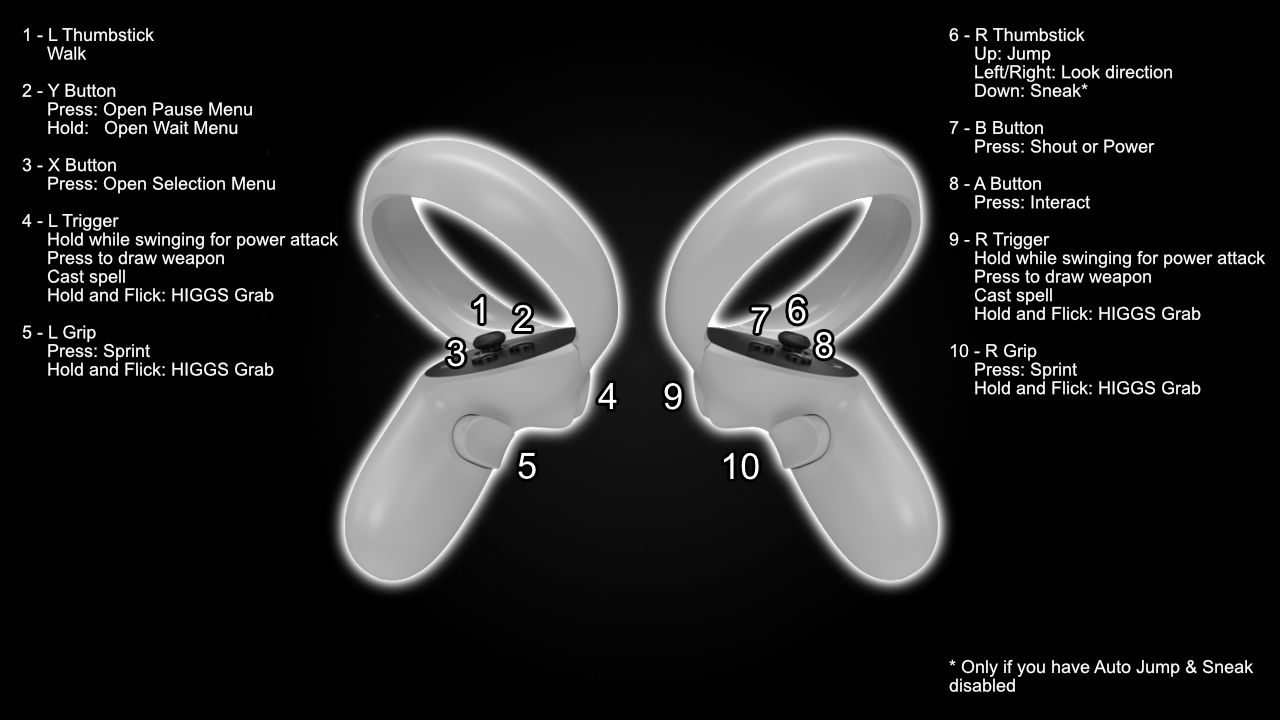
Neo’s Bindings (must be enabled before creating character)
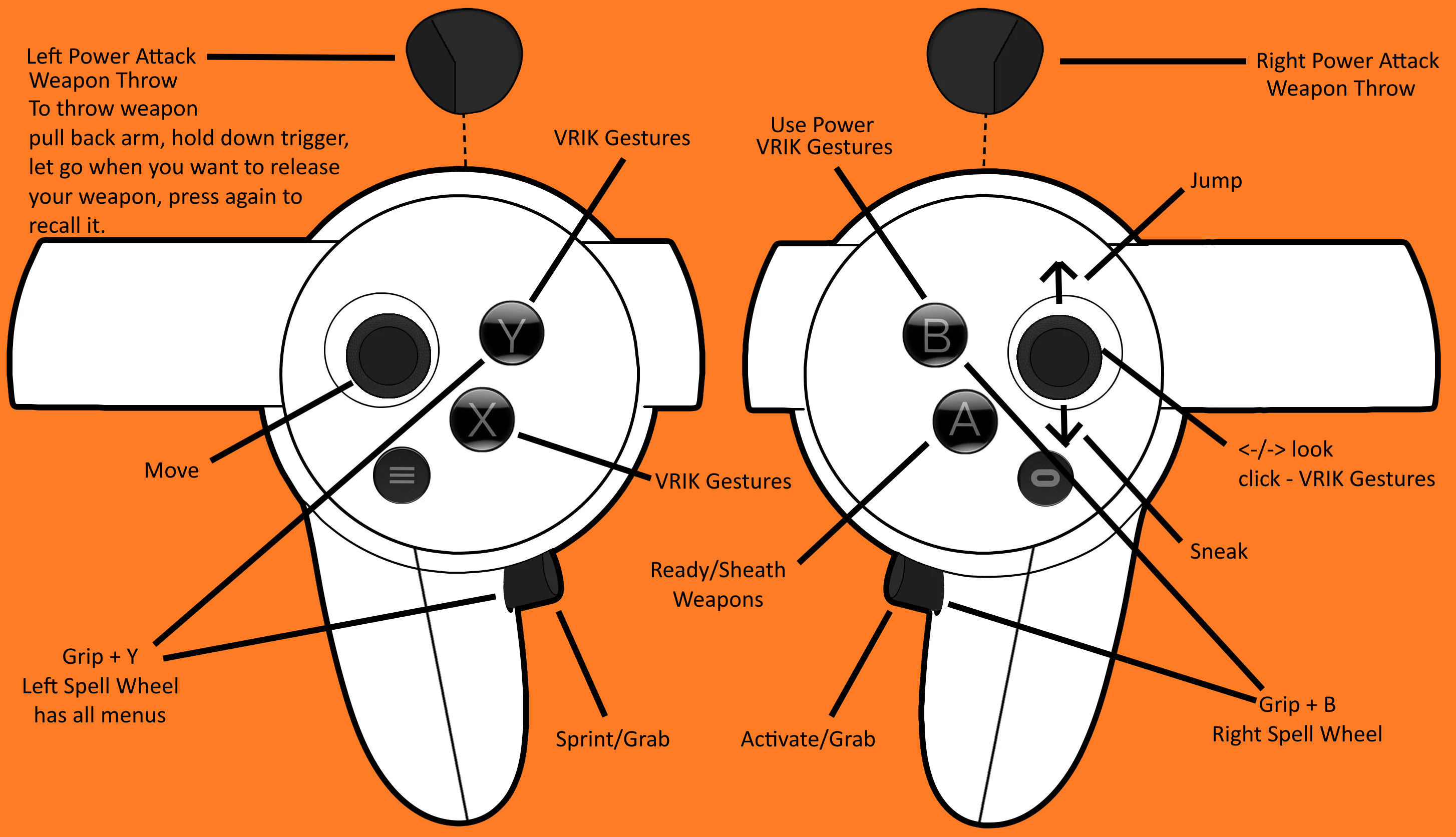
Valve Index (with the Alternative VRIK Bindings selected)
Gameplay Bindings
| Binding | What it Does |
|---|---|
| Left Thumbstick | Movement |
| Left Trigger | Cast Spell / Power Attack |
| Left A (Press) | Tween Menu (Inventory / Magic / Map / Skills) |
| Left A (Hold) | Draw / Sheathe |
| Left B (Press) | Wait Menu |
| Left Grip (Hold) | Sprint |
| Right Thumbstick | Turn (L/R), Jump (Up), Sneak (Down)* |
| Right Trigger | Cast Spell / Power Attack |
| Right A | Activate |
| Right B | Shout |
| Right Grip | Exit Menu |
Inventory Bindings
| Binding | What it Does |
|---|---|
| Left Trigger | Equip to left hand |
| Left A | Drop |
| Left Grip | Exit Menu |
| Right Trigger | Equip to right hand |
| Right A | Take single item |
| Right B | Favourite item |
| Right Grip | Item Zoom |
WMR Headsets
For WMR headsets, all bindings are default except…
| Binding | What it Does |
|---|---|
| Right Touchpad | Shout |
| Right Grip | Interact |
Other Bindings
There are some other bindings added by mods:
- L or R Thumbstick Click - VRIK Gestures (configurable)
- L or R Grip - VRIK Holsters (configurable)
- L or R Both Grip & Trigger - Spell Wheel
- L or R Trigger, Swing and release trigger - Throw Weapon
Default VRIK bindings
- L Thumbstick + Down - Drop Lit Torch
- R Thumbstick + Down - Select body preset
- R Thumbstick + Back then Forward - TNG NPC editor
Personal Advice
If these gestures don’t make sense to you head to the gameplay guide and watch the first video linked at the bottom to learn more about gestures.